When listed companies on the Nepal Stock Exchange (NEPSE) need capital for business expansion, debt reduction, or project funding, issuing Right Shares (Hakkaprad Shares) is one of the most common corporate actions. Unlike an Initial Public Offering (IPO), where the general public participates equally, right shares are offered exclusively to existing shareholders in proportion to their existing stake at a predetermined issue price—typically face value at Rs. 100 per share.
While many retail investors are comfortable learning how to apply for IPOs via MeroShare, navigating right share issues can lead to confusion. Questions often arise regarding book closure eligibility, calculating exact entitlement ratios, and fixing C-ASBA application errors. This guide breaks down everything you need to know about applying for right shares online through the Mero Share portal.
Understanding Right Shares in NEPSE: Eligibility and Book Closure
A right share issue grants existing shareholders the legal entitlement—but not the obligation—to buy additional newly issued shares of a company. To determine who qualifies to purchase these shares, the company, in coordination with the Securities Board of Nepal (SEBON) and NEPSE, announces a Book Closure Date.
What is Book Closure and Why Does It Matter?
The Book Closure Date serves as the official deadline for ownership verification. The company updates its register of shareholders on this date. To be eligible for right shares, your Demat account must hold the company’s stock before the book closure day.
- Buying Before Book Closure: If you purchase shares on NEPSE before or on the final trading day prior to the book closure date (taking into account the T+2 settlement cycle), your ownership is recorded in time, making you fully eligible.
- Buying After Book Closure: If you purchase shares on or after the book closure date, the market price of the stock typically undergoes a price adjustment, and you will not be entitled to apply for the current right share issue.
- Selling After Book Closure: If you held shares on the book closure date but sold them shortly afterward, you still retain your right share entitlement. The entitlement remains linked to your Depository Participant (DP) account record captured at book closure.
Understanding Issue Ratios
Right issues are announced as ratios, representing how many new shares you can claim relative to your existing holdings. For example:
- 1:1 Ratio (100% Right Share): For every 1 share held at book closure, you can apply for 1 new share. Holding 100 shares entitles you to apply for 100 right shares.
- 1:0.5 Ratio (50% Right Share): For every 2 shares held, you can apply for 1 new share. Holding 100 shares entitles you to apply for 50 right shares.
- 1:0.25 Ratio (25% Right Share): For every 4 shares held, you can apply for 1 new share. Holding 100 shares entitles you to apply for 25 right shares.
Prerequisites Before Applying for Right Shares via Mero Share
Before initiating your application online, make sure your digital investment infrastructure is set up correctly:
- Active Demat Account: Your Demat account must be active and legally linked to your BOID. If you haven’t set one up yet, refer to our guide on opening a Demat account online in Nepal.
- Active Mero Share User Credentials: Your portal account must not be locked or expired. Annual maintenance fees for both Demat (Rs. 100) and Mero Share (Rs. 50) must be cleared to prevent system freezes.
- Verified C-ASBA Registration Number (CRN): You need a valid CRN linked to your primary bank account. If you are unsure how to obtain one, review our step-by-step tutorial on obtaining a CRN number from your bank.
- Sufficient Unencumbered Bank Balance: Your linked C-ASBA bank account must hold funds equal to the application amount (Units Applied × Rs. 100) plus any bank C-ASBA processing charges (ranging from Rs. 0 to Rs. 5 as regulated by SEBON).
Step-by-Step Process: How to Apply for Right Shares in Mero Share
Once the right share issue officially opens for subscription, follow these steps to submit your application online through the Mero Share web portal or mobile application:
Step 1: Log in to the Mero Share Portal
Open your Web Browser and navigate to meroshare.cdsc.com.np (or open the official Mero Share app on Android/iOS). Select your Depository Participant (DP Bank/Broker), type in your Username and Password, and click Log In.
Step 2: Navigate to ‘My ASBA’ Section
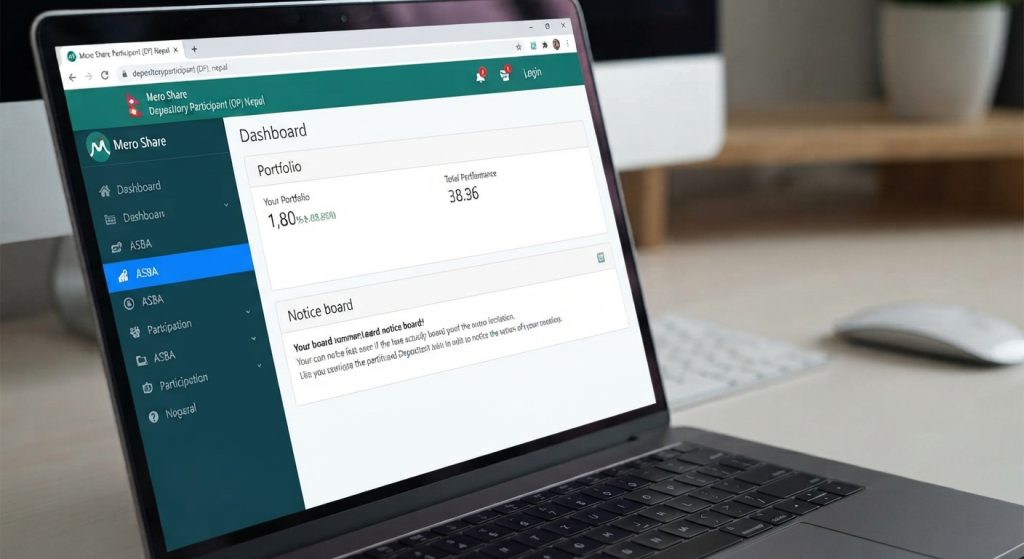
On the left-side dashboard menu (or bottom navigation bar in the mobile application), click on My ASBA.
Step 3: Select ‘Apply for Issue’
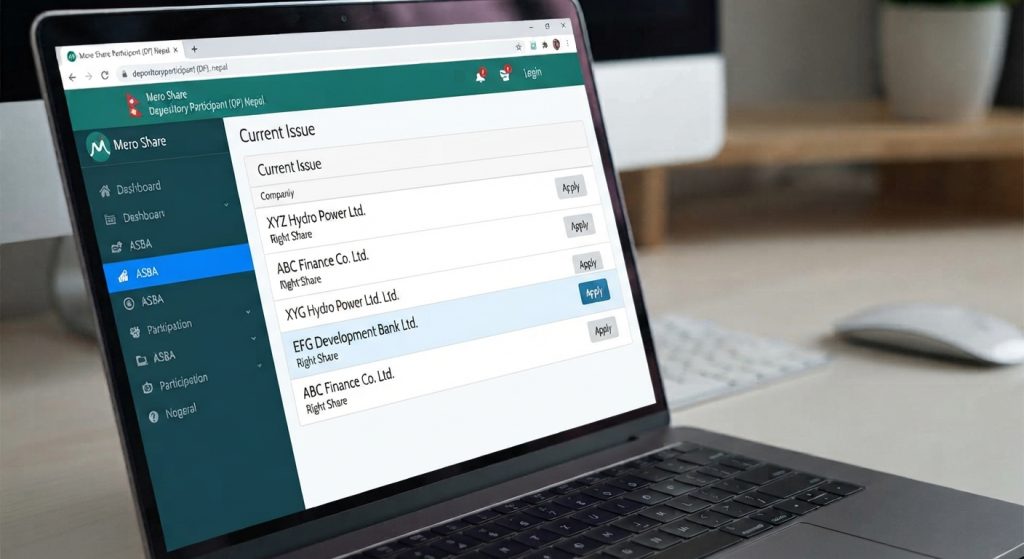
Inside the My ASBA tab, click on the Apply for Issue sub-tab. Here you will see a list of active public offerings, categorized into IPOs, FPOs, Debentures, and Right Shares.
Step 4: Locate the Right Share Announcement
Find the company issuing the right share. The security type will clearly state Right Share. Review the listed details, such as the issue opening date, closing date, issue manager, and face value (per unit price). Click the blue Apply button next to the company name.
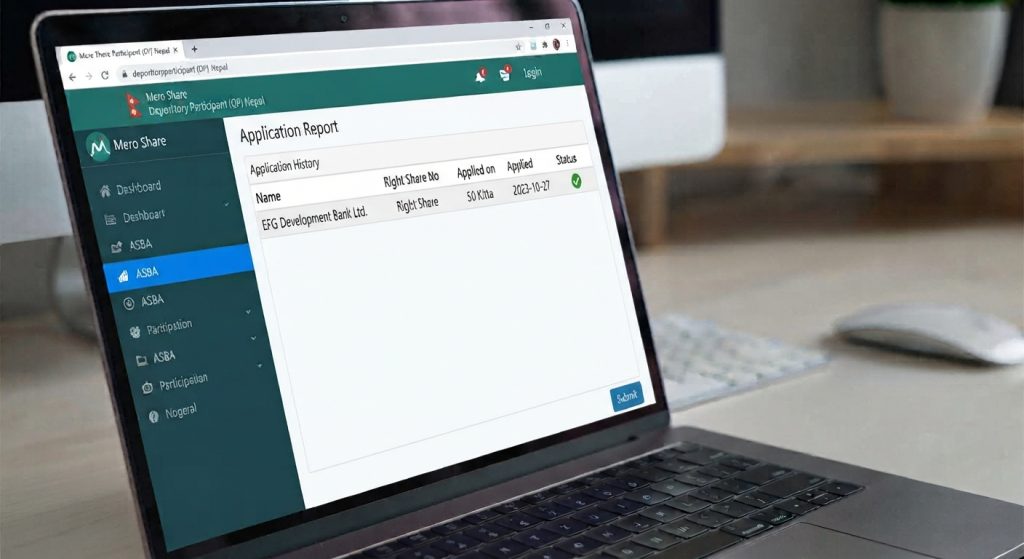
Step 5: Verify Your Entitled Units
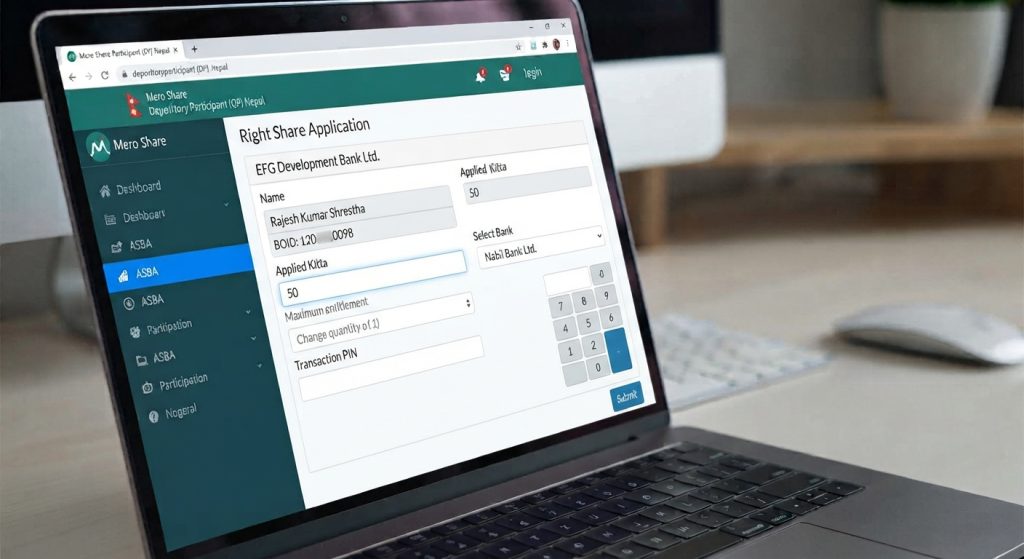
Once you click Apply, Mero Share automatically pulls your DP records from the book closure date. Look at the field labeled Eligible Quantity (or Entitled Units). This displays the maximum number of right shares you are permitted to claim.
Step 6: Complete the Application Form
Fill out the application fields carefully:
- Select Bank: Choose your registered C-ASBA bank account from the drop-down list.
- Account Number: Verify that your auto-populated bank account number is correct.
- Applied Quantity: Type in the number of units you wish to purchase. You can apply for any amount equal to or less than your total eligible quantity, but you cannot exceed your eligible entitlement.
- Amount: Mero Share will auto-calculate the total payable amount based on the face value (Units × Rs. 100).
- CRN Number: Enter your 4-digit or 5-digit C-ASBA Registration Number provided by your bank.
Step 7: Accept Terms and Submit
Check the box agreeing to the terms and conditions declaration, then click Proceed.
Step 8: Enter Your Transaction PIN
The system will prompt you to enter your 4-digit Mero Share Transaction PIN. Type your PIN and click Apply. A green popup notification confirming “Share Applied Successfully” will appear on screen.
How to Determine Your Entitlement Ratio and Applied Units
One of the most frequent sources of confusion for retail shareholders involves calculating right share entitlements when holdings contain fractional decimal values.
| Shares Held at Book Closure | Issue Ratio | Calculation Formula | Eligible Units (Floor Value) |
|---|---|---|---|
| 150 Shares | 1 : 1 (100%) | 150 × 1 | 150 Units |
| 150 Shares | 1 : 0.5 (50%) | 150 × 0.5 | 75 Units |
| 135 Shares | 1 : 0.25 (25%) | 135 × 0.25 = 33.75 | 33 Units |
| 85 Shares | 1 : 0.10 (10%) | 85 × 0.10 = 8.5 | 8 Units |
As demonstrated in the table, central depository software truncates fractional calculations downwards. If your entitlement formula yields 33.75 units, Mero Share will round down your eligible limit to 33 units. Fractional rights are not issued during the primary subscription window.
Can You Apply for Less Than Your Total Entitlement?
Yes. If you are eligible for 100 units, you are not forced to buy all 100. You may apply for 10, 20, 50, or any preferred number up to 100 depending on your available funds or investment strategy. However, once the subscription window closes, any unapplied portion of your entitlement is permanently forfeited.
What Happens to Unsubscribed Right Shares?
When shareholders choose not to apply for their entitled right shares, those leftover shares become Unsubscribed Shares. Following the closing of the right issue, the issuer company collects these remaining shares and sells them through a public auction process (Hillsam Auction), open to all institutional and retail investors who bid competitive prices.
Troubleshooting C-ASBA Errors and Checking Application Status
Submitting your right share application online is usually seamless, but occasional administrative or technical roadblocks can occur.
How to Check Application Status
To confirm that your application has been safely received and processed by your bank:
- Log in to Mero Share and select My ASBA.
- Click on the Application Report tab.
- Find the company name under Right Share and click the blue Report button on the right.
- Check the Status field.
Understanding Application Status Codes
- Unverified: Your application has been logged into Mero Share, but your bank has not yet checked or locked the corresponding funds in your account.
- Verified: Your bank successfully blocked the application amount in your bank account and validated your application.
- Rejected: Your application was rejected by the bank or central depository due to processing issues (e.g., insufficient account balance or name mismatches).
- Allotted: The issue manager completed allotment, and the applied units were formally transferred to your Demat account.
Common Application Errors and Solutions
1. Error: “You are not eligible to apply for this issue”
Reason: You did not hold shares of the company in your Demat account on or before the official Book Closure Date, or your Demat account details were not updated by your DP prior to the cutoff.
2. Error: “Insufficient Balance / CRN Block Failed”
Reason: Your bank account does not have enough cleared funds to cover the right share total plus C-ASBA bank charges. Deposit required funds into your bank account and re-apply before the closing deadline.
3. Error: “CRN Number Mismatch or Invalid CRN”
Reason: You entered an incorrect CRN digit, or your bank branch has not activated your C-ASBA registration. Re-verify the number with your bank customer care.
4. Post-Allotment Tax and Cost Settlement:
After your right shares are allotted and listed on NEPSE, remember to update your base purchase cost using the integrated tools to calculate WACC in MeroShare. Correct WACC calculations ensure accurate Capital Gains Tax (CGT) deductions whenever you decide to execute EDIS share transfers upon selling your stock on NEPSE.
Frequently Asked Questions (FAQs)
1. Can I apply for right shares if I bought the stock after the book closure date?
No. Only shareholders whose names appear in the company share register on or before the book closure date are eligible to participate. Shares purchased on or after the book closure date carry no right share entitlements for the current issue.
2. What happens if I choose not to apply for my entitled right shares?
If you choose not to apply, your entitlement simply expires when the issue deadline passes. You will not receive cash compensation, and your overall ownership percentage in the company will undergo minor dilution. Unsubscribed right shares are eventually pooled together and sold via competitive public auctions.
3. Is there a C-ASBA fee for applying for right shares in Nepal?
Yes, depending on your bank. While several commercial and development banks offer C-ASBA applications for free (Rs. 0), others charge a nominal transaction service fee up to Rs. 5 per application, strictly adhering to SEBON guidelines.
4. Can I transfer or sell my right share entitlement rights to another person in Nepal?
Currently, the NEPSE capital market structure does not support an active secondary market trading platform for renounceable right entitlements. Entitlements must be exercised directly by the account holder who owned the shares at book closure, or allowed to lapse.
5. How long does it take for allotted right shares to appear in my Demat account?
After the issue closes, the issue manager completes the allotment process. Once allotment is finalized and NEPSE approves the listing of new shares, the shares are directly credited into your Demat account—typically taking around 3 to 6 weeks from issue closure.
6. What should I do if my right share application status remains “Unverified” on the closing day?
If your application status stays “Unverified” close to the deadline, contact the C-ASBA or digital banking department of your registered bank immediately. Ensure your account holds adequate cleared funds so bank staff can manually verify and approve your pending request.
Conclusion
Applying for right shares in Nepal has become remarkably straightforward thanks to the digital integration of CDS & Clearing Limited’s Mero Share portal and C-ASBA banking systems. By tracking book closure announcements on financial news portals and verifying your entitlement unit limits on Mero Share, you can participate smoothly in capital growth opportunities offered by your portfolio companies.
Always verify official issue opening dates, book closure notifications, and issue manager prospectuses directly via SEBON or NEPSE releases prior to submitting financial applications.