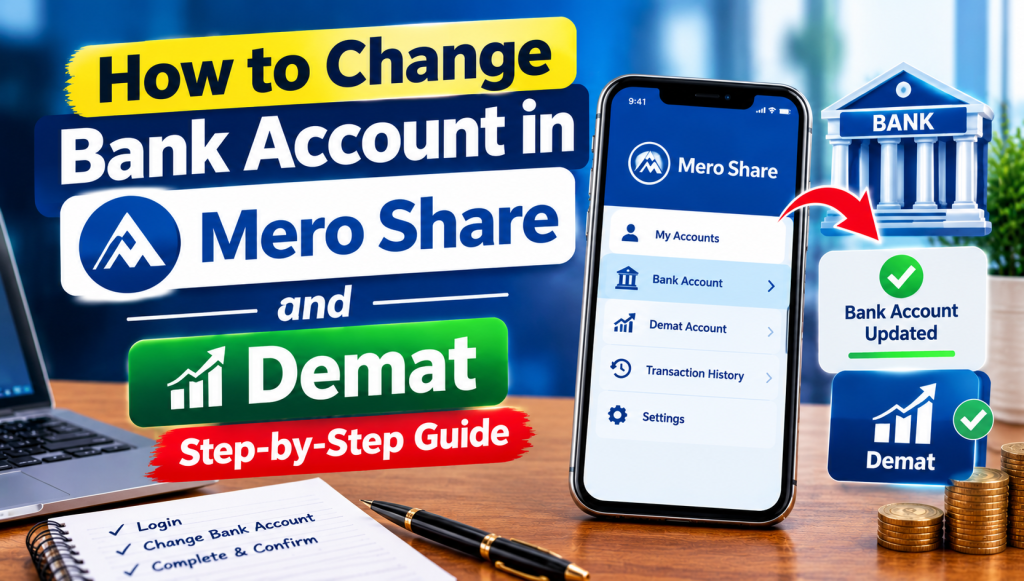
When navigating the Nepali capital market, your bank account serves as the financial engine for all your share-related transactions. It is the account where IPO share application funds are blocked via C-ASBA, where unallocated share refunds are released, and where cash dividends from listed companies are directly deposited through the Nepal Clearing House Limited (NCHL) network. However, there comes a time when you need to switch this linked account.
Whether you recently closed an old savings account, switched to a bank offering zero application fees, or saw your branch details modified following a commercial bank merger, knowing how to change bank account in Mero Share and Demat is an essential administrative skill. Many investors log into the web portal expecting a simple “edit” button, only to find the banking fields locked. This comprehensive guide explains the exact procedure to update your bank details both physically and online, regenerate your C-ASBA Registration Number (CRN), and prevent missing cash dividends.
Can You Edit Bank Details Directly on the Mero Share Portal?
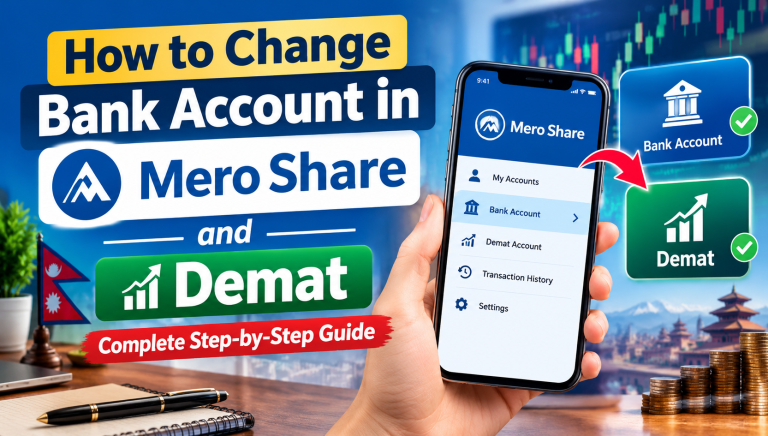
The short answer is no. You cannot directly change or overwrite your bank account number or bank branch from inside your Mero Share profile settings.
To understand why, it helps to know the structural hierarchy of the Nepali depository system managed by CDS and Clearing Limited (CDSC). Mero Share is essentially a front-end viewing and application interface; it mirrors the master record held within your 16-digit Beneficial Owner Identification (BOID) or Demat account. Because your Demat profile involves anti-money laundering regulations and strict financial verification, CDSC does not allow users to alter critical financial details at will.
Your bank details, permanent address, and citizenship number are governed by your Depository Participant (DP)—the merchant bank, commercial bank branch, or licensed stockbroker where you originally initiated your Demat account opening process. To update bank details in Mero Share, the modification must be registered and authorized at the DP level. Once your DP updates their back-office central depository software, the updated bank information automatically synchronizes with your Mero Share portal.
Why Investors Update Bank Accounts (Mergers, C-ASBA Fees & Inactive Accounts)
Updating linked banking details is one of the most common maintenance tasks for retail investors in Nepal. The most frequent reasons include:
- Avoiding Recurring Application Fees: Commercial banks set different transaction charges for primary issue applications. While several institutions process applications at zero cost, others charge anywhere from Rs. 5 to Rs. 20 per application. Many investors decide to switch to free C-ASBA banks to save money over dozens of primary offerings each year.
- Bank Mergers and Acquisitions (M&A): The consolidation wave among commercial and development banks across Nepal has led to consolidated branches, altered routing codes, and modified 16-digit account formats. If an older account structure becomes obsolete, primary allocations and dividend payments may fail.
- Dormant or Inactive Accounts: Maintaining minimum balances across multiple accounts is inconvenient. If an investor decides to shut down an underused account, they must update their Demat records immediately to avoid disruption.
- Consolidating Investment Inflows: Many active traders prefer keeping their everyday household spending separate from their stock earnings. Linking a dedicated investment account helps streamline corporate dividend inflows and payouts from stock sales.
Documents Required to Change Bank Details in Demat & Mero Share
Before initiating the change with your Depository Participant, prepare the necessary verification documents. Depository Participants enforce strict verification standards to ensure that unauthorized third parties cannot divert your cash dividends or IPO refunds.
- Demat Details: Your complete 16-digit BOID number (starts with 130… followed by your unique 8-digit client code).
- Original and Photocopy of Citizenship: Required to verify identity against the signature recorded in your initial KYC. For minor accounts, a birth certificate and the guardian’s citizenship card are required.
- Proof of New Bank Account: You must supply documentary evidence displaying your full name and the new account number clearly. Acceptable proofs include:
- An original cancelled cheque leaf from the new bank account.
- A fresh bank account statement carrying the bank’s digital verification stamp or counter seal.
- A formal bank account confirmation letter issued by the new branch.
- DP Information Update Form: Available directly at the branch counter or as a downloadable “demat bank account change form pdf” on the respective merchant capital’s official portal.
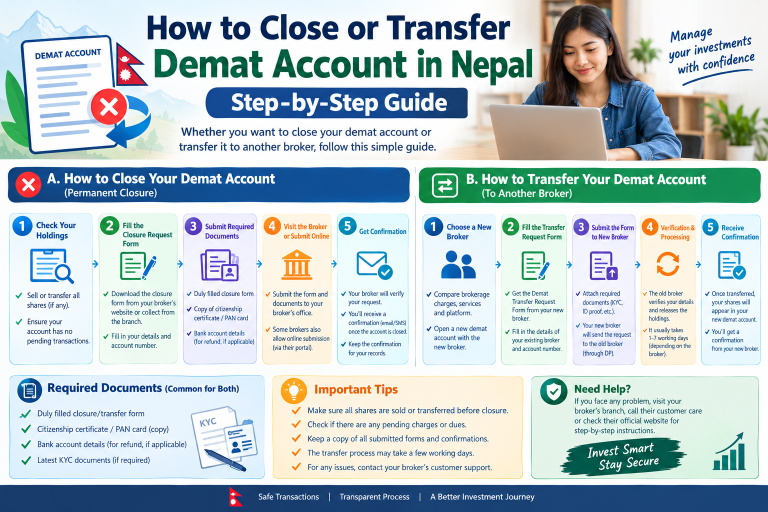
Step-by-Step Process: Updating Bank Account via Your Depository Participant (DP)
If your DP does not provide a digital service desk, or if you prefer an in-person submission, follow this standard branch-based route:
Step 1: Obtain the Demat Detail Modification Form
Visit the nearest branch of your Depository Participant (either the commercial bank hosting your DP services or the merchant banking head office). Request a Demat Account Detail Amendment / KYC Modification Form.
Step 2: Fill Out the Form Carefully
Locate the section titled Bank Details. Clearly write down:
- Name of the New Bank
- Branch Location
- Account Type (Savings / Current)
- Complete New Account Number (double-check all digits)
- Your full name as recorded in the new bank’s core system
Ensure that the name on the new bank account matches the legal name on your Demat account exactly. If there is a spelling mismatch, the DP’s compliance system will reject the request.
Step 3: Attach Bank Proof and Sign
Affix a voided cheque leaf or verified account statement to the form. Sign the modification document using the identical signature recorded during your initial account onboarding. Submit the physical dossier to the customer service desk.
Step 4: Verification and System Processing
The DP verification team will authenticate your signature and check the attached banking proof. Once approved, they update your central records via the CDSC terminal. Changes processed at the physical counter generally take between 24 and 48 business hours to reflect inside your digital Mero Share dashboard.
How to Update Bank Information Online via Merchant Capital Portals
Several progressive capital institutions (such as NIBL Ace Capital, Global IME Capital, Sanima Capital, and Siddhartha Capital) allow investors to execute a mero share bank account update online through their dedicated client self-service portals.
- Log into Your DP’s Web Portal: Navigate to the merchant capital’s official customer portal (distinct from the generic CDSC Mero Share website).
- Access Profile Services: Go to the “Demat Services” or “Online KYC Update” tab.
- Locate Bank Modification: Select the “Change Bank Account” option.
- Input New Banking Credentials: Choose your new financial institution from the dropdown list, specify the branch, and type in your new account number.
- Upload Scanned Proof: Upload a clear image or PDF scan of your cancelled cheque or digital bank statement showing the account holder’s name clearly.
- Submit with OTP Verification: Confirm the modification request using an automated One-Time Password (OTP) sent to your registered mobile number or email address.
Always verify fees and procedures directly with your specific capital firm, as digital options vary by institution.
Linking Your New Bank Account to C-ASBA & Getting a New CRN
A widespread misconception among retail investors is assuming that updating your Demat bank account automatically updates your C-ASBA application channel. This is incorrect.
While your Demat account now has your new bank details on file for corporate actions like cash dividends, Mero Share’s Apply for Issue section relies on C-ASBA (Centralized Applications Supported by Blocked Amount). C-ASBA requires a verified mandate between your bank and CDSC, known as a CRN (C-ASBA Registration Number).
To successfully apply for upcoming IPOs using your updated financial account, follow these critical follow-up steps:
- Open/Activate C-ASBA at Your New Bank: If you are changing to a completely new commercial or development bank, you must request a fresh CRN from that specific bank.
- Obtain the Number: Most A-class commercial banks now provide instant online CRN generation directly within their mobile banking applications or internet banking dashboards. Alternatively, submit a quick physical C-ASBA form at the new bank’s counter.
- Apply for Shares Seamlessly: When you next navigate to the “Apply for Issue” tab in Mero Share, select your new bank from the dropdown list, ensure the corresponding new account number populates, and enter your freshly issued CRN to place your IPO request.
How Bank Account Changes Affect Cash Dividend Credit & IPO Refunds
Timing matters when updating your banking records, particularly regarding cash dividend distributions and primary issue refunds.
Direct Cash Dividend Credits
Whenever a listed company on the Nepal Stock Exchange (NEPSE) concludes its Annual General Meeting (AGM) and approves a cash payout, the company’s Share Registrar (RTS) pulls the master record of shareholders as of the announced Book Closure Date. If your bank details were updated and cleared by your DP before the book closure date, your dividend will credit seamlessly to your new account via NCHL-IPS.
However, if the book closure date passed while your old bank account was still listed, the registrar will route the funds to that previous account. If the old account has already been closed, the transaction will bounce and remain uncredited in the registrar’s suspense pool until you submit a formal dividend claim alongside your updated Demat confirmation sheet.
IPO Allotment and Refund Cycles
Since the introduction of the C-ASBA mechanism, your money never leaves your bank account during the IPO application phase; it is simply earmarked or frozen. If you are allotted shares, the exact purchase amount is debited from that specific account, and any unallocated balance is unfrozen automatically. Because of this, changing your bank account at the Demat level does not interrupt an ongoing IPO application that is already in progress.
Troubleshooting Common Issues After Updating Bank Details
If you encounter hurdles during or after updating your banking records, review these common fixes:
- Old Account Still Visible in Mero Share: Clearing your web browser’s cached cookies or logging out and back into the Mero Share portal often resolves this display issue. If the old account persists after two working days, contact your DP helpdesk to confirm whether the back-office batch sync was completed.
- Name or Character Mismatch Error: If your bank account uses initials while your Demat profile uses your full spelled-out name, the automated electronic transfer will fail. Ensure both institutions record your personal legal name identically.
- Old Bank Deducted C-ASBA Fee Unexpectedly: If an application continues to draw funds from your previous account, verify that you selected the new bank in the dropdown menu on the Mero Share IPO application screen. The system does not switch default banks automatically; you must manually choose the updated institution.
Frequently Asked Questions (FAQs)
Can I change my bank account directly from the Mero Share profile settings?
No. CDSC’s Mero Share web and mobile platforms restrict users from editing bank data within account profile settings for security and regulatory compliance reasons. Any modification must be initiated through your Depository Participant (DP), who then updates your master Demat record.
How long does it take for the new bank account to reflect in Mero Share?
Once your DP processes the change in their back-office system, the new bank details typically appear in your Mero Share portal within 24 to 48 working hours. Processing times can take longer over weekends or public holidays.
Do I need to generate a new CRN number after changing my bank account?
Yes. A CRN is tied to a specific bank and account number. If you switch your C-ASBA applications to a new banking institution or a different account, you must obtain a fresh CRN from that bank to apply for primary offerings (IPOs, FPOs, and Rights).
What happens to uncredited cash dividends if my old bank account was closed?
If a dividend was dispatched to a closed bank account, the electronic transfer will fail and bounce back to the company’s designated Share Registrar (RTS/RTA). Once your new bank details are confirmed in your Demat account, you can contact the respective registrar with your updated BOID confirmation letter to have the dividend re-issued.
Is there any charge or fee for updating bank information in a Demat account?
Most merchant banks and Depository Participants in Nepal update your Demat banking details free of charge. However, institutional policies differ, and a few providers may levy a minor administrative fee (typically between Rs. 25 and Rs. 50). Check directly with your DP branch for their current policy.