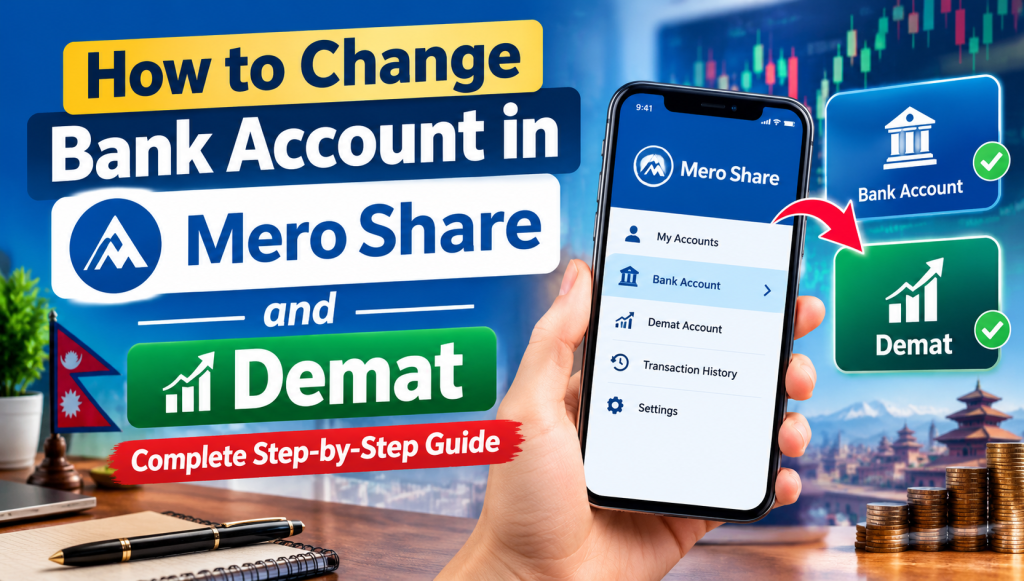
Due to the wave of commercial bank mergers in Nepal, branch consolidations, and changing banking preferences, hundreds of thousands of retail investors find themselves stuck with outdated or closed bank accounts linked to their Beneficiary Owner Identification (BOID). When investors log in to the Central Depository Services and Clearing Limited (CDSC) portal to update their details, they discover that the bank account field cannot be edited.
An outdated bank account creates two immediate problems: your cash dividends fail to deposit into your current account, and your primary market applications may fail during verification. If you have ever experienced an unexpected IPO rejected in Mero Share, an unlinked or mismatched bank account is often the hidden culprit. This comprehensive guide explains why Mero Share locks these fields, what documents you need, and how to update your bank account both online and offline through your Depository Participant (DP).
Why You Cannot Directly Edit Your Bank Account Inside Mero Share
When you log in to the web or mobile version of Mero Share and open My Details, you can view your personal information, Demat account number, and linked bank information. However, there is no “Edit” button beside your bank account number or bank name. This is by design, not a system bug.
Mero Share serves merely as an investor-facing interface operated by CDSC. The underlying master data for your portfolio resides with your Depository Participant (DP)—which is typically the merchant banking wing of a commercial bank, a licensed stockbroker, or a financial institution where you first completed the Demat account opening process.
To prevent identity theft, unauthorized fund diversions, and financial fraud, the Securities Board of Nepal (SEBON) and CDSC mandate that core KYC (Know Your Customer) fields—such as investor legal name, citizenship number, and linked bank accounts—can only be modified through verified DP authorization. Once your DP updates your record on the central depository engine, the changes automatically sync to your Mero Share profile.
Prerequisites and Documents Required to Update Bank Details
Before submitting an update request to your DP, prepare the necessary documents in advance. Incomplete documentation is the primary reason DP back-offices reject change requests.
- 16-Digit BOID: Your complete Demat number (comprising the 8-digit DP ID plus your 8-digit client ID).
- Proof of New Bank Account: A clear scanned copy or physical photocopy of one of the following:
- A blank cancelled cheque leaf clearly showing your printed name and 16-digit account number.
- An official bank account statement or account maintenance certificate issued by the new bank.
- A clear copy of your bank passbook page displaying your account details.
- Identity Verification: A legible copy of your Nepali Citizenship Certificate (both front and back), National ID card, or Passport.
- Demat Information Update Form: The standardized account modification form provided by your respective DP.
- Minor Proof (if applicable): If updating a minor Demat account, you will need the minor’s birth certificate and the guardian’s citizenship card.
Important Note: The legal name on your new bank account must strictly match the legal name registered in your Demat account. Even minor spelling variations or missing middle names will lead to automated settlement rejections by the Nepal Clearing House Limited (NCHL) network.
Step 1: Submitting a Bank Modification Request to Your Depository Participant (DP)
The standard and most reliable method to change your bank details is by submitting a request directly to your DP. Follow these steps:
- Identify Your DP: Check the first eight digits of your BOID or look at your Mero Share profile header to confirm which capital or brokerage firm holds your Demat account.
- Obtain the Demat Account Detail Modification Form: Download the form from your DP’s official website (usually under the “Downloads” or “Forms” section) or collect a physical form from the nearest branch.
- Fill in the Specific Fields: Provide your existing Demat account number, your full name, and indicate that you are applying for a “Bank Account Change / Update”. Write down your new bank’s official name, branch name, and complete account number accurately.
- Attach Document Proof: Staple or attach your cancelled cheque leaf and a copy of your citizenship card.
- Submit the Application: Submit the physical form at any designated branch of your DP’s parent bank or head office. You will be provided an acknowledgement slip or reference number for tracking.
Step 2: Updating Bank Details Online via Capital/Merchant Portals (Where Available)
Many prominent merchant banks in Nepal—such as Nabil Investment Banking, NIC Asia Capital, Global IME Capital, Sanima Capital, Siddhartha Capital, and Prabhu Capital—now offer online self-service portals where investors can request profile modifications without visiting a physical branch.
- Visit the official customer portal of your respective merchant capital firm.
- Log in using your registered credentials or select the Online Demat Services / Customer Request section.
- Select Request for Bank Detail Change from the drop-down menu of services.
- Type your 16-digit BOID, new bank name, branch, and new bank account number.
- Upload digital scans (JPEG or PDF) of your cancelled cheque and citizenship card.
- Submit the request and complete OTP verification sent to your registered mobile number or email address.
Once submitted, DP officers verify the submitted cheque image against the central banking database. Approval usually takes 1 to 3 working days. After approval, the new bank details will automatically display under the My Details tab in Mero Share.
Step 3: Re-registering C-ASBA to Generate a New CRN Number
One of the most frequent misconceptions among retail investors is assuming that updating your bank account in Demat automatically updates your IPO application bank. It does not.
A Demat account holds your electronic securities, while C-ASBA (Centralized Application Supported by Blocked Amount) handles the fund-blocking mechanism for IPOs. If you change your main bank for stock trading or primary share applications, you must complete the C-ASBA linkage separately:
- Visit your new commercial or development bank (or use their internet/mobile banking app if supported).
- Submit a C-ASBA registration form requesting a CRN (C-ASBA Registration Number) linked to your 16-digit BOID.
- Once the bank verifies your account balance and KYC, they will issue a new CRN.
- When you next apply for an IPO on Mero Share under Apply for Issue, select your new bank from the banking drop-down, select your new account number, and enter the newly acquired CRN number to authorize the fund block.
Be aware that banks may apply varied processing fees per application. You can review the current C-ASBA charge in Nepal across different institutions to choose the most cost-effective bank for your primary market investments.
How Updating Bank Details Affects Cash Dividend Credits and IPO Applications
Understanding how corporate actions flow through the Nepali capital market prevents unnecessary panic when dividend season arrives:
| Corporate Action | Primary Route Used | Impact of Bank Change |
|---|---|---|
| Cash Dividend Payouts | Bank linked directly to your Demat / BOID | Future dividends will be credited directly to your updated account via NCHL-IPS. Unpaid past dividends remain parked at the Share Registrar (RTS). |
| IPO Fund Blocking & Refunds | Bank selected during C-ASBA entry in Mero Share | Funds are blocked and unblocked exclusively via the bank chosen during application submission using your valid CRN. |
| Secondary Market Payouts (Broker TMS) | Bank linked to your Stockbroker TMS Account | Updating your Demat bank does not change your broker payout bank. You must request a separate bank update in your broker’s TMS profile. |
What Happens to Past Unpaid Cash Dividends?
If a listed company distributed a cash dividend while your old bank account was inactive or closed, the transaction would have bounced back to the company’s designated Registrar to the Shares (RTS). Simply updating your bank in Mero Share will not automatically trigger retroactive transfers for older dividends.
To collect accumulated past dividends, you must contact the specific RTS/merchant bank handling that listed company, present your updated BOID statement showing your active bank account, and request a dividend reissue.
Troubleshooting Common Issues During the Bank Update Process
1. Bank Details Still Showing Old Information in Mero Share
If your DP confirmed that your bank details were updated, but Mero Share still displays the old bank, wait at least 24 to 48 banking hours. CDSC runs data synchronization batches overnight. Clear your browser cache or log out and log back into the Mero Share app to see refreshed details.
2. Name Spelling Discrepancy
If your citizenship lists your name as “Ram Kumar Shrestha” but your new bank account was created as “Ram K. Shrestha”, the DP system will reject the linkage due to automated KYC validation rules. You must first update your name at the bank branch to mirror your citizenship exactly before applying for a Demat modification.
3. Closing an Old Demat vs. Updating Bank Details
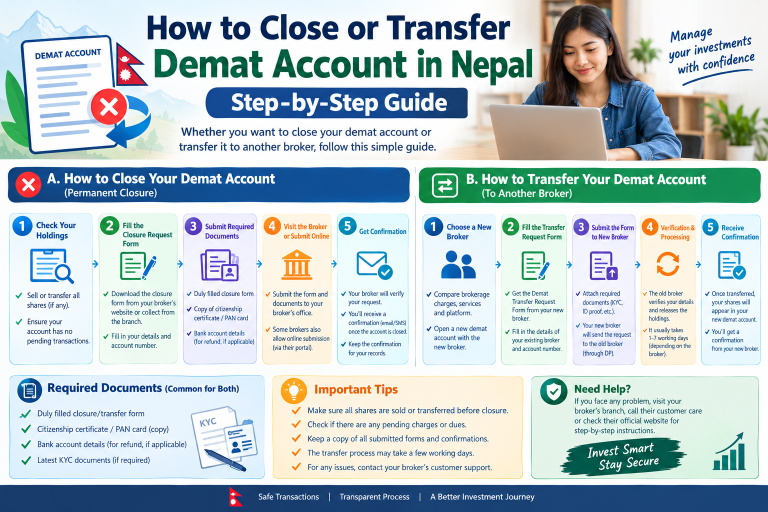
If you have multiple unused Demat accounts opened during prior commercial bank mergers, maintaining all of them incurs recurring annual renewal charges. Rather than updating bank accounts across redundant profiles, consider following the proper guidelines to close or transfer your Demat account into your primary active portfolio.
Conclusion
Keeping your financial profile accurate ensures you never miss a corporate payout or face an unexpected IPO debit failure. Although Mero Share does not provide a direct self-service edit button for bank credentials, the actual update procedure is straightforward once you submit your verified bank documents to your Depository Participant. Take a few minutes to confirm that your BOID, C-ASBA registration, and secondary market broker details are aligned with your active bank account so your investment journey in Nepal remains completely seamless.
Frequently Asked Questions (FAQs)
Can I change my bank account directly through the Mero Share mobile app or web portal?
No. CDSC restricts direct bank editing within Mero Share for investor protection and KYC regulatory compliance. Any change to your registered bank account must be submitted to and authorized by your Depository Participant (DP).
Do I need to get a new CRN number after changing my linked bank account?
Yes, if you plan to apply for IPOs using funds from your new bank account. Updating your bank in Demat only routes cash dividends to the new account. To apply for primary issues from that new account, you must visit the new bank and request a fresh C-ASBA Registration Number (CRN).
How long does it take for the DP to reflect the new bank account in Mero Share?
Most merchant capitals and broker DPs complete the verification and update within 1 to 3 working days. Once approved in the DP backend, the new details typically reflect in Mero Share after the next central CDSC database synchronization.
What happens to my past unpaid cash dividends after updating my bank account in Demat?
Updating your Demat bank account only routes future dividends automatically. Any past unpaid dividends that bounced due to an inactive account remain held by the respective company’s Share Registrar (RTS). You must contact the RTS directly with proof of your updated bank account to claim older payouts.
Can I link a bank account that belongs to a family member?
No. Under SEBON and CDSC guidelines, the bank account holder’s name must match the Demat account holder’s name exactly. The only exception is for minor accounts, which can be linked to an approved guardian’s bank account until the minor attains legal majority.