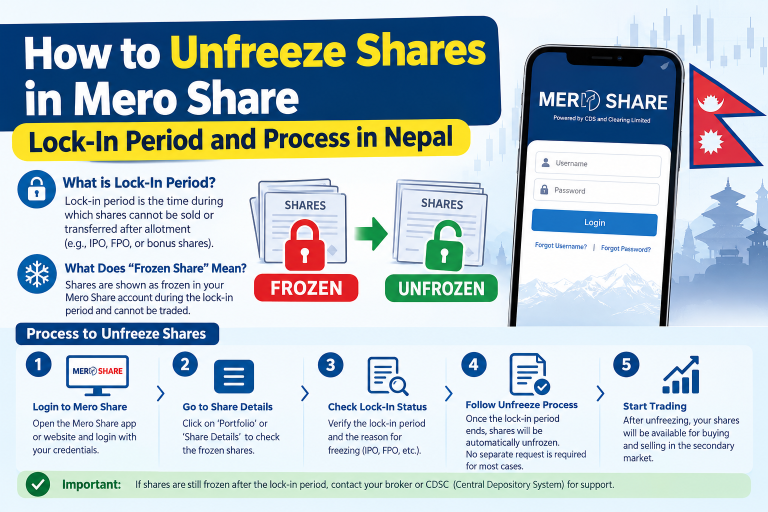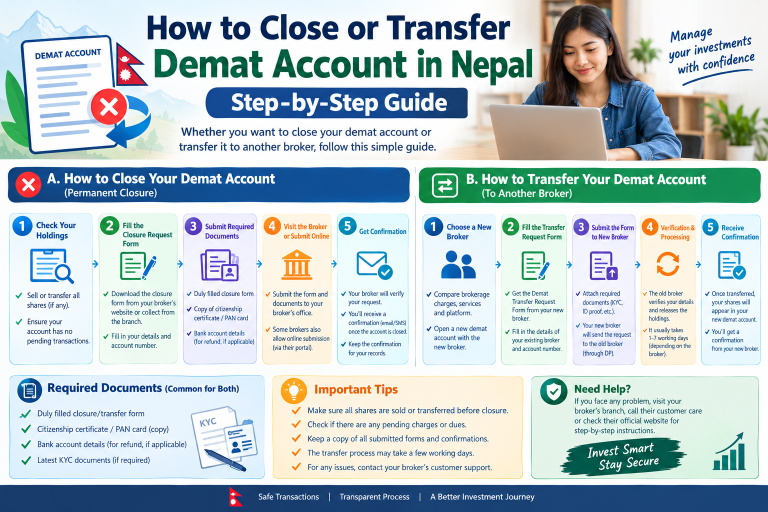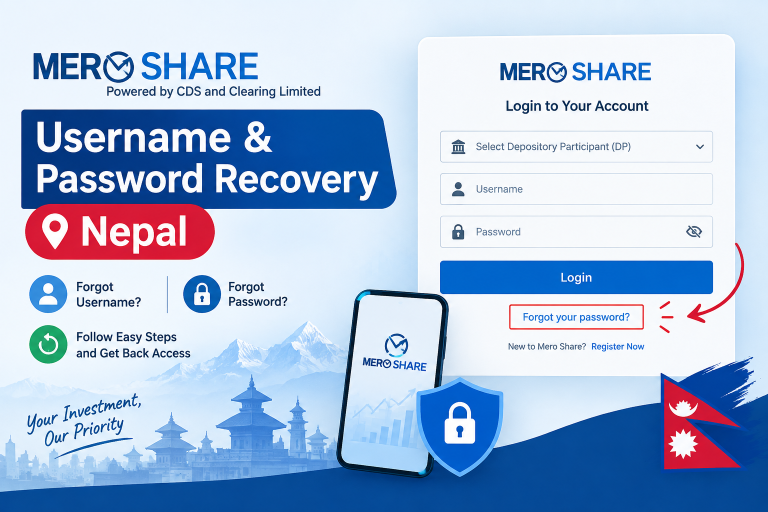
Forgetting your MeroShare login credentials right before a major initial public offering (IPO) closes is a common headache for retail investors in Nepal. CDS and Clearing Limited (CDSC) provides a self-service recovery system directly on the login portal. As long as your registered email address and personal details are up to date, you can restore access within a few minutes without visiting your capital merchant bank.
What You Need Before Resetting Your Password
Before initiating a reset request, gather the following details exactly as recorded in your Demat account:
- Depository Participant (DP): The name or 5-digit code of the capital merchant bank or brokerage firm where you opened your Demat account (for example, Global IME Capital or Nabil Investment Banking).
- Username: Your MeroShare username, which is generally provided by your DP when your account is activated.
- Registered Email Address: The primary email address linked to your Demat profile where CDSC can send the verification link.
- Date of Birth (DOB): Your official birth date matching your citizenship certificate or passport on file.
If you need assistance logging in once your credentials are ready, review our overview of the Mero Share Login system.
Step-by-Step Guide: Resetting MeroShare Password Online
- Open the MeroShare Portal: Go to the official CDSC website at
meroshare.cdsc.com.npor launch the MeroShare mobile application. - Select Password Recovery: Below the login fields, click the text link that reads “Forgot your password?”.
- Input Your Account Details: Select your DP from the drop-down list. Enter your username, registered email address, and your date of birth. Be mindful of whether your DP recorded your birth date in the Bikram Sambat (BS) or Gregorian (AD) format.
- Submit the Request: Click the Send button. If your entered records match the central depository database, the portal will display a confirmation message indicating that a reset link has been dispatched to your email.
- Check Your Inbox: Open your registered email account. Look for an automated email from CDSC containing the password reset link. Be sure to check your Spam or Junk folder if it does not appear in your primary inbox within two minutes.
- Set a New Password: Click the link in the email, enter your new chosen password twice, and confirm. Your new password must meet CDSC’s security rules (usually a minimum length combining letters, numbers, and symbols).
If you prefer an alternate walkthrough covering account recovery options, check our guide on how to recover a forgotten Mero Share login password.
How to Reset Your MeroShare Transaction PIN
MeroShare uses two distinct security credentials: your login password and a 4-digit transaction Personal Identification Number (PIN). You use the login password to enter the portal, while the 4-digit PIN authorizes C-ASBA share applications and portfolio transfers.
If you remember your login password but forgot your 4-digit transaction PIN, log into your profile, navigate to the Change PIN section under your profile icon, and follow the prompt. If you cannot remember the existing PIN to change it, use the self-service PIN reset link on that screen, which triggers an email authorization link similar to the login password workflow.
Common Problems During Password Reset and How to Fix Them
1. Reset Link Not Arriving in Your Email
High traffic during oversubscribed IPOs can cause queue delays in CDSC’s automated mail servers. If the message does not arrive promptly, wait 10 to 15 minutes before re-submitting. Verify that your email storage is not full and inspect your Spam or Promotions folder.
2. “User Details Do Not Match” Error
This message appears when any single field differs from your initial Demat registration. The most frequent culprit is the Date of Birth format. If entering your birth date in BS fails, switch to the AD date printed on your citizenship translation or passport. Also verify whether your username uses capital or lowercase letters if your DP assigned custom characters.
3. Registered Email Is Inactive or Inaccessible
The automated self-service portal requires access to your registered email inbox. If you closed that email account or mistyped it during your initial KYC submission, you cannot reset your credentials online. You must request an official email update directly through your DP.
4. Account Locked After Repeated Failed Attempts
Entering the wrong password too many times will temporarily lock your MeroShare profile to guard against unauthorized access. In most cases, initiating a valid password reset link clears the lock once the new password is confirmed.
Comparison: Self-Service Reset vs. DP In-Person Reset
| Feature | Self-Service Online Reset | DP In-Person / Branch Reset |
|---|---|---|
| Time Required | 2 to 5 minutes | Same day to 2 working days |
| Cost | Free of charge | Usually free (some institutions may assess a nominal service fee) |
| Requirements | Active email, DP name, username, DOB | Citizenship card, physical application form, Demat confirmation |
| Best Used For | Routine forgotten passwords | Changed email address, lost phone number, or suspended Demat |
When to Contact Your Depository Participant (DP)
You must contact your DP’s customer support or visit their nearest branch under the following circumstances:
- You no longer possess access to the email address registered with your Demat account.
- You receive persistent “User does not exist” errors despite entering accurate information.
- Your account is flagged as inactive due to unpaid annual Demat maintenance fees (typically NPR 100 per fiscal year) or expired MeroShare renewal fees (NPR 50 per year).
To update an obsolete email, submit an email update request alongside a self-attested copy of your Nepali citizenship certificate. For banking verification issues tied to share applications, consult our guide on how to get a CRN number in Nepal.
Best Practices for Securing Your MeroShare Account
Your MeroShare profile connects directly to your beneficial owner identification number (BOID) and your centralized share portfolio managed under CDSC. Protect your holdings by observing these simple habits:
- Create a unique password that you do not use for your personal email or social media accounts.
- Never share your 4-digit transaction PIN or C-ASBA Request Number (CRN) with third parties, including unverified social media groups claiming to apply for shares on your behalf.
- Always ensure the web address bar displays
https://meroshare.cdsc.com.npbefore typing your credentials. - Log out immediately after finishing your share applications or checking allotment results, particularly when using shared or office computers.