Investing in the Nepalese share market has seen a massive digital transformation, and Mero Share—managed by CDS and Clearing Limited (CDSC)—lies at the very heart of this ecosystem. Whether you are applying for initial public offerings (IPOs), checking your DEMAT portfolio, or transferring shares via EDIS, access to your Mero Share portal is vital. However, forgetting your login credentials can instantly bring your investment activities to a halt. If you are locked out and wondering how to reset Mero Share password quickly and securely, this step-by-step guide covers everything you need to know to regain control of your account without hassle.
Understanding Mero Share Credentials Before You Begin
Before diving into the password recovery process, it is important to distinguish between the components required to log into your account. Many retail investors confuse their login password with their 4-digit transaction PIN or CRN number. Having clarity on these details ensures a smooth recovery process.
To successfully perform a password reset online, you must have access to three core pieces of information:
- Depository Participant (DP): The capital market institution or bank where you opened your DEMAT account (e.g., Nabil Investment Banking, Global IME Capital).
- Username: Typically your DEMAT account number (16-digit BOID) or the specific username provided by your capital.
- Registered Email Address: The primary email address linked to your DEMAT account at the time of account creation.
Step-by-Step Guide: How to Reset Mero Share Password Online
In the past, investors had to visit their respective Capital or DP office physically to reset a lost password. Thankfully, CDSC introduced a self-service online password reset feature on the Mero Share web application. Follow these explicit steps to reset your password within minutes from your smartphone or computer:
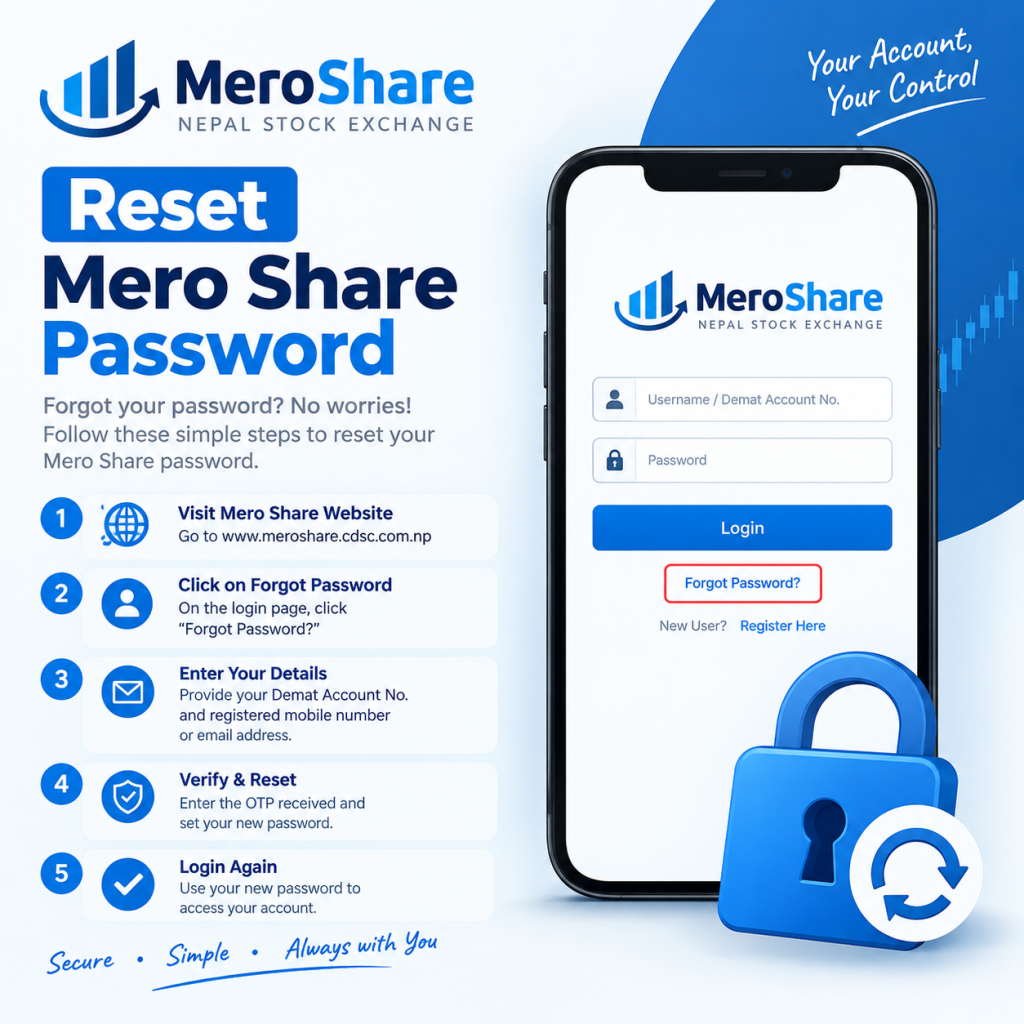
Step 1: Navigate to the Official Mero Share Portal
Open your preferred web browser and go directly to the official CDSC website at meroshare.cdsc.com.np. For security reasons, avoid clicking on third-party links or unverified portal mirrors. You can also use the official Mero Share mobile application available on Android and iOS.
Step 2: Access the Password Recovery Feature
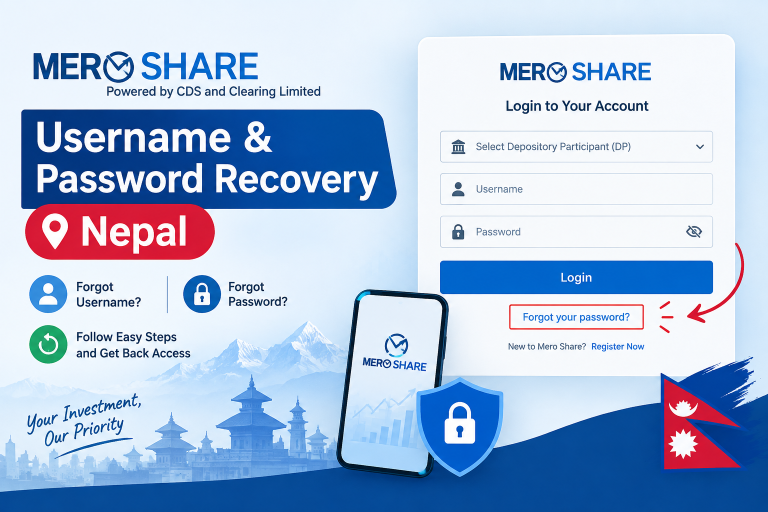
On the main login screen, look below the primary fields for username and password. Click or tap on the “Forgot Password?” link. This action redirects you to the identity verification form.
Step 3: Fill in Your Account Details
You will be presented with a form requiring three crucial details:
- Select Your DP: Scroll through the dropdown menu or type to locate your Depository Participant.
- Enter Your Username: Type in your assigned Mero Share username accurately.
- Enter Your Email: Input the exact email address registered with your DEMAT account.
Step 4: Submit the Request
Double-check all filled details to prevent validation errors, then click the “Send” button. The system will search its database for a matching record.
Step 5: Check Your Email for the Reset Link
Open your email inbox. You should receive an automated email from CDSC containing a temporary password or a password reset link. If you do not see the email in your main inbox within 2 to 5 minutes, be sure to inspect your Spam or Junk folder.
Step 6: Set Your New Password
Click the reset link provided in the email. You will be directed to a secure page where you can enter your new password. Ensure your new password contains a mix of uppercase letters, lowercase letters, numbers, and special characters to ensure strong account security. Save the changes and return to the main login screen to log in with your updated password.
How to Reset Mero Share Transaction PIN (4-Digit PIN)
Your Mero Share login password gets you into the system, but you need a separate 4-digit Transaction PIN to complete IPO applications and share transfers via EDIS. If you remember your login password but have lost your 4-digit PIN, follow this quick recovery method:
- Log into your Mero Share account using your standard credentials.
- Navigate to the top right profile icon and select “My Profile” or go to “Change PIN” settings.
- Select the “Forgot PIN” option.
- A verification code or confirmation link will be sent to your registered email.
- Confirm the verification and set a brand-new 4-digit PIN that is easy for you to remember but hard for others to guess.
Alternative Method: Resetting Password via Depository Participant (DP)
While the self-service online reset works seamlessly for most users, certain situations prevent automated recovery. You will need to contact your DP directly if:
- You no longer have access to the email account linked with your DEMAT.
- You never registered an email address when opening your DEMAT account.
- The online portal displays a validation error despite entering correct details.
In such scenarios, send an email to your DP’s dedicated support email address or visit their local branch office. Provide your full name, BOID (16-digit DEMAT number), citizenship number, and contact details. Request an email update or a manual Mero Share password reset. Most capital institutions handle manual resets within 24 to 48 working hours.
Key Takeaways: Mero Share Password Recovery Summary
Here is a quick reference table outlining the essential steps and solutions for Mero Share login issues:
| Issue Type | Primary Solution | Requirements |
|---|---|---|
| Forgot Login Password | Use “Forgot Password?” link on web or app. | DP Name, Username, Registered Email |
| Forgot 4-Digit PIN | Reset via “My Profile” inside the portal. | Active Mero Share login access |
| Wrong/Old Email Address | Contact DP branch or send official support email. | BOID, Citizenship ID, Application Letter |
| Account Blocked (3 Failed Attempts) | Wait 24 hours or perform online password reset. | Registered Email access |
Best Practices for Securing Your Mero Share Account
Securing your financial assets requires strict digital security habits. Given that Mero Share connects directly to your DEMAT portfolio and primary bank account via C-ASBA, maintaining strong account credentials is non-negotiable. Follow these security guidelines:
- Avoid Generic Passwords: Never use simple combinations like your birth date, phone number, or sequential numbers (e.g., 123456).
- Never Share Your Transaction PIN: Keep your 4-digit PIN strictly confidential. Do not share it with friends, family, or broker agents.
- Keep Your Email Account Secured: Since password resets rely on email links, protect your registered email account with Two-Factor Authentication (2FA).
- Log Out After Every Session: Always manually log out after completing your IPO applications or portfolio checks, especially when using public Wi-Fi or shared devices.
Frequently Asked Questions (FAQs)
1. How long does it take to receive the password reset link for Mero Share?
Under normal circumstances, the automated system sends the password reset link to your registered email immediately, usually within 1 to 5 minutes. If you do not receive it, check your spam/junk folder or verify if server traffic is high due to ongoing major IPO releases.
2. Can I reset my Mero Share password if I forgot my registered email?
No, you cannot complete the automated online password reset without access to your registered email address. In this case, you must contact your Depository Participant (DP) physically or via their customer support email to update your registered email address before requesting a new password.
3. Is there a charge or fee for resetting my Mero Share password?
No, resetting your Mero Share password or 4-digit transaction PIN using the official online portal or mobile application is completely free of cost. However, some DPs may charge a minor administrative fee if you request manual physical form processing at their office branch.
Conclusion
Knowing how to reset Mero Share password quickly guarantees that you will never miss out on critical investment opportunities or upcoming public offerings in the Nepalese capital market. By utilizing the self-service web tool at meroshare.cdsc.com.np, you can safely recover your credentials in just a few clicks. Keep your registered email up to date, store your 4-digit PIN securely, and manage your stock portfolio with complete peace of mind. Stay proactive about your account security today to keep your investments safe!