Every dividend season in Nepal brings excitement to stock market investors. Listed companies on the Nepal Stock Exchange (NEPSE)—ranging from commercial banks and microfinance institutions to hydropower developers—announce annual dividends to reward their shareholders. Often, these distributions come in the form of bonus shares (stock dividends).
However, tens of thousands of retail investors log into their Mero Share portals weeks after book closure only to find that their newly issued bonus shares are completely missing or stuck in a withheld status. In most cases, the reason is simple: your bonus share tax remains unpaid.
If a company distributes bonus shares without allocating an additional cash dividend to cover the government dividend tax, the responsibility falls squarely on you as the shareholder. This comprehensive guide walks you through why bonus share tax is mandatory, how to check your exact tax dues, and how to pay bonus share tax online using ConnectIPS, digital wallets, or direct bank deposit.
Why Do You Need to Pay Bonus Share Tax in Nepal?
Under the Income Tax Act of Nepal, dividends distributed by companies are subject to dividend withholding tax. For resident individual investors, the applicable dividend tax rate is currently 5% of the par value of the dividend. For institutional investors or non-residents, rates may vary according to current tax statutes.
When a listed company distributes corporate benefits, it generally follows one of two approaches:
- Bonus Shares with Tax-Covering Cash Dividend: The company proposes a bonus share distribution (e.g., 10%) alongside a small cash dividend (e.g., 0.5263% for tax purposes). In this scenario, the company directly deducts the tax liability from the cash payout and remits it to the Inland Revenue Department (IRD). Shareholders do not have to pay anything out of pocket.
- Bonus Shares Without Cash Dividend: The company declares only bonus shares (e.g., 5% bonus share) and explicitly mentions in its Annual General Meeting (AGM) notice that shareholders must pay the applicable dividend tax themselves.
Because the government requires the tax to be settled before bonus shares are released, CDS and Clearing Limited (CDSC) and the company’s designated Share Registrar (Registrar to Shares, or RTS) will withhold your bonus shares until payment is verified. Once your shares are credited, you can also properly compute your base cost when working out your Capital Gains Tax and WACC calculations later on.
How to Check If You Owe Tax on Bonus Shares
Before making a payment, you should confirm whether you actually owe tax and determine the exact figure. Guessing the amount or depositing money into the wrong RTS account will delay verification.
1. Review the Company’s Dividend and AGM Notice
Listed companies publish their dividend proposals and AGM notices on national dailies, financial portals like ShareSansar, and their own investor relations pages. Check the dividend clause carefully. If the announcement says “Bonus share tax to be borne by the shareholder,” you are required to pay.
2. Check Your Mero Share Portfolio
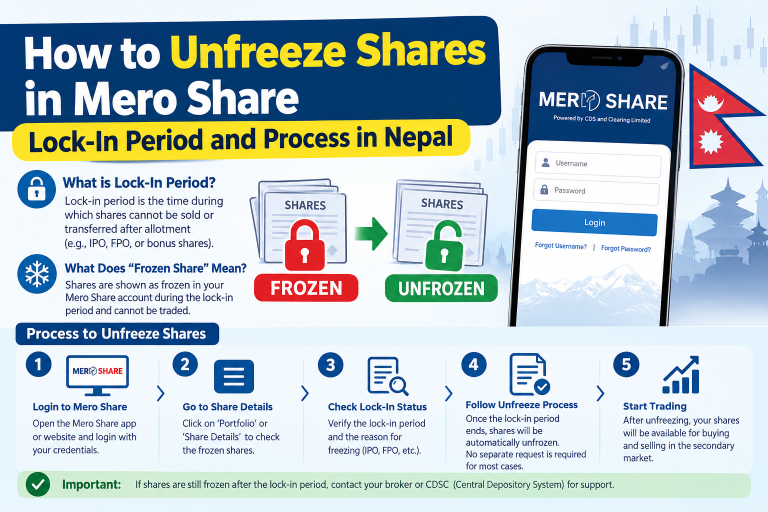
If other investors who purchased shares before the book closure date have already received their bonus shares, but your balance has not increased, your shares have likely been put on hold due to pending tax. In some cases, shares appear under your Demat list but remain restricted. For troubleshooting restricted holdings, see our detailed guide on how to unfreeze shares in Mero Share.
3. Query the Share Registrar (Merchant Banker) Portal
Every listed company appoints a Merchant Banker (Capital) as its Share Registrar (RTS)—such as NIBL Ace Capital, Global IME Capital, Nabil Investment Banking, Siddhartha Capital, or Sanima Capital. Most RTS portals feature an online inquiry tool:
- Visit the official website of the company’s designated Share Registrar.
- Navigate to their Dividend / Bonus Tax Verification tab.
- Enter your 16-digit Beneficiary Owner Identification Number (BOID).
- The system will display your company name, allocated bonus share quantity, and the exact unpaid tax amount in Nepali Rupees (NPR).
Prerequisites Needed Before Paying Bonus Share Tax
Before initiating the transaction online, ensure you have the following information handy:
- Your 16-Digit BOID: The unique Demat account number found in your Mero Share profile.
- The Exact Name of the Listed Company: Double-check the stock symbol and fiscal year (e.g., Fiscal Year 2079/80 or 2080/81).
- The Designated Share Registrar (RTS): Identify which merchant bank handles that company’s share registry.
- An Active Payment Gateway: A verified ConnectIPS account linked to your bank, or a KYC-verified eSewa or Khalti wallet.
How to Pay Bonus Share Tax Online via ConnectIPS (Step-by-Step)
ConnectIPS is the most direct, official, and widely integrated payment channel for settlement with merchant banks in Nepal. Here is the exact process to clear your dividend tax dues:
- Log In to ConnectIPS: Open the ConnectIPS app or visit connectips.com and log in with your credentials.
- Navigate to Financial Institutions: From the dashboard, click on Financial Institutions or look for the Capital Market category.
- Select Share Registrar (RTS): Choose the specific Merchant Capital managing the shares (for example, Nabil Investment Banking Ltd., NIC Asia Capital, etc.).
- Choose Service Type: In the service drop-down, select Bonus Tax Payment or Dividend Tax.
- Enter Shareholder Details:
- Select the specific Company Name from the list.
- Choose the correct Fiscal Year for the bonus issue.
- Enter your 16-digit BOID (Demat Number).
- Fetch and Verify Dues: Click Fetch or Check. The system will automatically display the shareholder’s registered name, the number of bonus shares, and the exact tax due. Verify that your name matches your Demat records.
- Complete the Transfer: Select your linked bank account, enter your ConnectIPS transaction PIN and the OTP sent to your registered mobile number, and submit the payment.
- Download the Receipt: Always download and save the PDF payment voucher for your records.
How to Pay Bonus Share Tax via eSewa and Khalti
If you prefer using digital wallets, several major share registrars have integrated tax collection modules into popular mobile wallets like eSewa and Khalti.
Paying Through eSewa
- Open the eSewa app and log in.
- Tap on Financial Services or search for Share Registrar in the search bar.
- Select the Merchant Capital firm responsible for the company’s registry.
- Tap on Bonus Tax.
- Select the company, fiscal year, and enter your 16-digit BOID.
- Verify the auto-filled shareholder name and payable amount.
- Confirm the transaction with your MPIN or biometrics and save the payment receipt.
Paying Through Khalti
- Open the Khalti app and navigate to the Financial or Share Market section.
- Search for the respective Capital firm handling the RTS.
- Select Bonus Share Tax Payment.
- Input your Demat/BOID number along with the listed company name.
- Review the billing details and execute the payment.
Offline Payment: Bank Deposit and Share Registrar (RTS) Verification
If your specific RTS does not yet have an automated online query system for a particular company, you can settle the tax via physical bank deposit:
- Obtain the RTS Notice: Read the formal dividend tax notice published by the company. It will specify a bank name, account number, and account title dedicated solely to collecting that year’s bonus tax.
- Calculate the Tax Due: Dividend tax is calculated as:
Tax Payable = (Bonus Share Quantity × Par Value) × 5%
(For most ordinary shares in Nepal, the par value is NPR 100 per share.) - Make the Deposit: Visit any branch of the designated bank or use mobile banking to deposit the exact amount into the specified RTS account.
- Include Mandatory Remarks: In the deposit slip or online transfer remarks, write your Full Name, 16-digit BOID, and Company Symbol. Missing remarks can cause delays.
- Submit the Voucher: Scan or photograph the deposit voucher and email it to the customer support desk of the RTS, or submit it through their online voucher upload portal.
How Long Does It Take for Bonus Shares to Credit After Payment?
Unlike secondary market transfers on NEPSE, bonus share tax verification is not always instantaneous. Here is the realistic timeline:
| Payment Method | Verification Mode | Expected Credit Time |
|---|---|---|
| ConnectIPS (Automated API) | Direct system reconciliation | 3 to 7 working days |
| eSewa / Khalti | API or daily batch settlement | 3 to 7 working days |
| Bank Deposit Slip (Manual) | Manual verification by RTS staff | 7 to 15 working days |
The Share Registrar consolidates verified tax records into electronic batches and submits them to CDSC. CDSC then updates the Central Depository System, releasing the shares directly into your Demat account.
What Happens If You Do Not Pay the Bonus Share Tax?
Ignoring your bonus share tax liability leads to several practical issues:
- Shares Remain Locked: The bonus shares will not appear in your free balance on Mero Share, meaning you cannot sell them on the secondary market.
- Complications During Mergers and Acquisitions: If the company enters a merger or swap arrangement, unreconciled bonus holdings create bookkeeping conflicts.
- Inaccurate Portfolio Tracking: Your total share count will remain outdated, complicating portfolio tracking and WACC calculation in Mero Share when you sell your existing primary shares.
- Delayed Right Share Eligibility: While rights are based on the book closure date, reconciliation disputes can delay your eligibility checks for subsequent corporate actions.
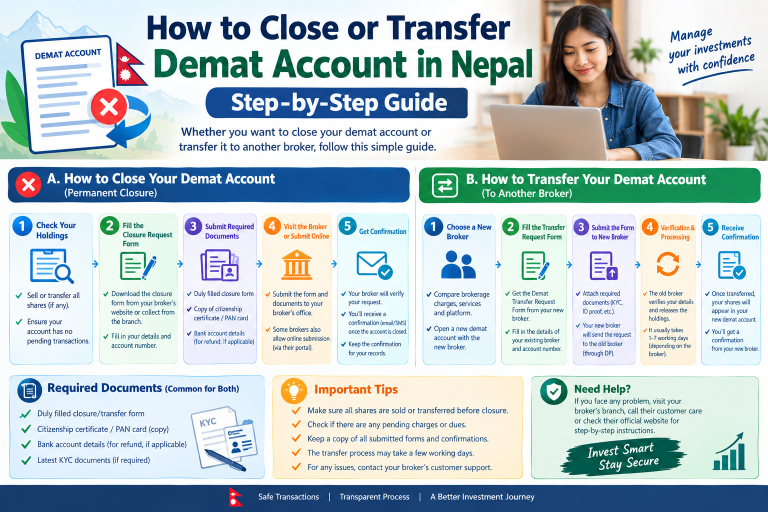
If you have recently adjusted your personal records, make sure your depository details are current by reviewing our guide on how to change bank accounts in Mero Share and Demat.
Conclusion
Paying bonus share tax in Nepal is an essential responsibility for every equity investor. Fortunately, digitized payment channels like ConnectIPS, eSewa, and Khalti have replaced the old routine of visiting merchant bank counters in person. Whenever a company in your portfolio declares a bonus share without an accompanying tax dividend, check your dues on the Share Registrar’s portal, complete your payment online using your 16-digit BOID, and retain your transaction receipt until your shares reflect safely in your Demat account.
Frequently Asked Questions (FAQs)
Why are my bonus shares not showing in my Mero Share portfolio?
The two most common reasons are that the company has not yet completed the listing and depository process with NEPSE and CDSC, or that the company required shareholders to pay the 5% dividend tax on bonus shares separately and your payment has not been received or verified by the Share Registrar (RTS).
What is the current dividend tax rate on bonus shares in Nepal?
For resident individual investors in Nepal, the dividend withholding tax rate is 5% of the par value of the bonus distribution. Because most NEPSE-listed ordinary shares carry a face value of NPR 100 per share, the tax is generally NPR 5 per bonus share allotted.
Do all companies require shareholders to pay bonus share tax separately?
No. Many companies propose a combined dividend consisting of bonus shares and a small cash dividend specifically designated to cover the dividend tax (often around 0.5263% to 0.7895% depending on the bonus proportion). In those instances, the company settles the tax with the IRD directly on your behalf.
Can I pay bonus share tax through my broker?
No. Stockbrokers in Nepal execute secondary market buy and sell orders through TMS. They do not handle corporate dividend distributions or dividend tax reconciliation. Bonus share tax must be paid directly to the company’s designated Share Registrar (RTS) via ConnectIPS, approved wallets, or designated bank accounts.
How do I confirm if my bonus share tax payment was verified by the RTS?
You can check the RTS website’s dividend verification portal after 3 to 5 working days by entering your BOID. Once verified, the status will show as paid, and CDSC will subsequently update your Demat holdings in Mero Share under “My Portfolio.”