Are you worried about missing out on the next big Initial Public Offering (IPO) in Nepal simply because your portal access expired? Managing your stock market portfolio requires keeping your digital investment tools fully operational and up to date. Learning how to renew Mero Share account online is an essential skill for every modern investor in the Nepalese capital market. In this comprehensive guide, we will walk you through the precise steps, payment gateways, fees, and best practices to ensure your Mero Share and Demat accounts remain active without any hassle.
Why Timely Mero Share Account Renewal Matters
CDS and Clearing Limited (CDSC) developed Mero Share to simplify primary market applications (IPOs, FPOs, Rights Issues) and manage electronic transfers (EDIS) for secondary market transactions. However, Mero Share access is provided on a yearly subscription basis. Failing to renew your account on time can lead to several complications:
- Inability to Apply for IPOs: If your Mero Share account expires, the system will block you from submitting new applications for primary shares, right shares, or debentures.
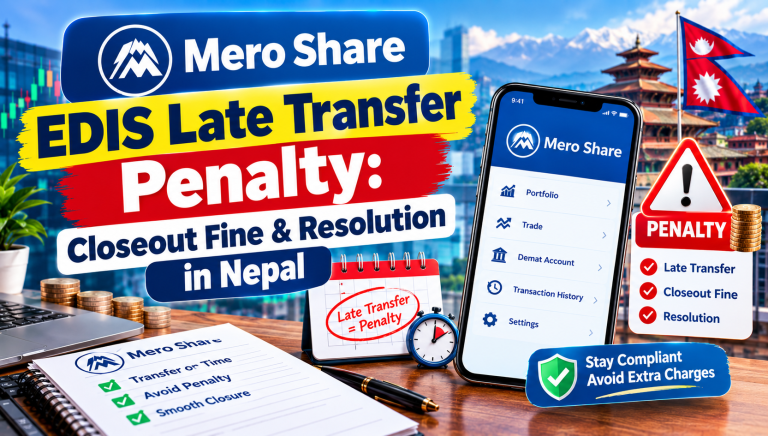
- EDIS Blockade: If you sell shares on the secondary market via your broker, you must transfer those shares using EDIS on Mero Share. An expired account prevents you from completing EDIS, leading to a 20% closeout fine on the total transaction value.
- Demat Deactivation: Often, Mero Share accounts expire alongside your Demat account. An inactive Demat account locks your holdings until all outstanding dues are cleared.
Fortunately, CDSC has integrated multiple online payment channels, allowing investors to renew their accounts within minutes from the comfort of their home or mobile device.
Prerequisites Before Starting the Renewal Process
Before initiating your renewal online, make sure you have the following information and tools ready:
- DP Name: Your Depository Participant (the bank or Capital firm where your Demat account was opened).
- Mero Share Login Credentials: Your assigned username (BBOID) and login password.
- Active Digital Wallet or Payment Service: An active account with payment partners such as eSewa, Khalti, ConnectIPS, IME Pay, or Prabhu Pay with sufficient balance.
- Demat Account Details: Keep your 16-digit BOID handy if you choose to pay directly through third-party wallet apps instead of logging into Mero Share first.
How to Renew Mero Share Account Online: Step-by-Step Guide
There are two primary ways to renew your account: directly through the official Mero Share portal or through integrated digital wallets. Below is the detailed breakdown for each method.
Method 1: Direct Renewal via the Mero Share Web Portal
This is the most reliable method as it directly updates your profile status upon payment confirmation.
- Log into Mero Share: Open your browser and navigate to the official portal (
meroshare.cdsc.com.np) or open the Mero Share mobile application. - Enter Details: Select your Depository Participant (DP), enter your Username and Password, and click Login.
- Navigate to Profile: Click on your profile icon or name located at the top right corner of the dashboard, then select My Profile.
- Check Account Status: Scroll down to view your account details. You will see the expiration dates for both your Mero Share and Demat accounts.
- Click Renew Account: Click on the blue Renew Account button located near your account status.
- Select Payment Gateway: Choose your preferred payment service provider (eSewa, Khalti, ConnectIPS, IME Pay, etc.).
- Choose Renewal Plan: Select whether you want to renew Mero Share, Demat, or Both. You can also choose the duration (from 1 year up to 5 years).
- Complete Payment: You will be redirected to the login page of your selected payment gateway. Enter your wallet credentials, review the transaction details, and confirm the payment.
Method 2: Renewing Directly via Digital Wallets (eSewa / Khalti)
If your Mero Share account has already expired and you cannot log in, you can pay directly through digital wallet applications using your 16-digit BOID.
- Open your eSewa or Khalti app on your smartphone.
- Locate and tap on the Financial Services or Govt & Share category.
- Select the Mero Share & Demat Renewal icon.
- Choose your payment option: Mero Share Renewal Only, Demat Renewal Only, or Mero Share and Demat Renewal.
- Select your Capital/DP name from the drop-down menu and enter your 16-Digit BOID Number.
- Select your preferred duration (1 to 5 years) and tap Proceed.
- Verify the account holder’s name that appears on the screen and enter your wallet MPIN/Password to complete the payment.
Key Takeaways & Service Fee Breakdown
To avoid unexpected charges or service disruptions, keep the official CDSC renewal fee structure in mind:
| Service Type | Annual Renewal Fee | Maximum Renewable Period |
|---|---|---|
| Mero Share Renewal | NPR 50 per year | Up to 5 Years |
| Demat Account Maintenance | NPR 100 per year | Up to 5 Years |
| Combined (Mero Share + Demat) | NPR 150 per year | Up to 5 Years |
- Fiscal Year Expiry: Demat account fees operate on a fiscal year basis (ending mid-July / end of Ashad in Nepal). Ensure you clear Demat fees annually to keep your account active.
- Advance Renewal: You can pay for up to 5 years in advance to avoid annual renewal hassles.
- Confirmation Receipt: Always download or screenshot your transaction receipt until the updated expiry date reflects on your Mero Share profile.
Frequently Asked Questions (FAQs)
What happens if I sell shares when my Mero Share account is expired?
If your account is expired, you will not be able to complete the EDIS process to transfer shares to your broker. To avoid a 20% auction penalty fee, immediately renew your Mero Share and Demat accounts online, wait for the status to update, and execute the EDIS before the settlement deadline.
Can I renew my Mero Share account for multiple years at once?
Yes, CDSC allows investors to renew both Mero Share and Demat accounts for up to 5 years at a time. Selecting a multi-year plan saves you from annual renewal tasks and prevents sudden lockouts during major IPO launches.
How long does it take for the renewal status to reflect in my profile?
In most cases, online payments made via eSewa, Khalti, or ConnectIPS update instantly. However, during peak fiscal year-end periods or major system updates, it may take up to 24 hours for your DP to reconcile the transaction and reflect the new expiration date.
Conclusion
Knowing how to renew Mero Share account online is essential for maintaining seamless access to Nepal’s expanding share market. By keeping both your Mero Share and Demat subscriptions active, you protect yourself from missing out on lucrative IPOs and avoid heavy penalties associated with delayed EDIS transfers. Take a moment to log into your profile today, check your expiry status, and renew your accounts online to enjoy an uninterrupted investment journey!